If you’re trying to sell PPV on OnlyFans and still thinking “why aren’t people unlocking?”, you’re not alone. PPV can work—but only when the setup is clean and your DMs feel personal, not pushy.
In this guide, you’ll learn:
- How to set up PPV in DMs and locked posts
- A simple “offer menu” so fans know what to buy
- Easy pricing formulas (with real number examples)
- DM scripts + follow-ups that boost unlock rates
- Quick fixes when PPV isn’t selling
You’ll leave with a repeatable workflow you can run weekly—not guesswork.
How to sell PPV on OnlyFans by choosing posts vs DMs
PPV usually sells in two places: locked posts (on your profile) and locked media in DMs. The “best” one depends on your goal: steady sales or quick spikes. Use this mini decision tree, then follow the setup steps.
This section covers three things:
- A simple decision tree
- DM PPV setup steps
- Locked post setup steps
We’ll break each topic down one by one.
Setup decision tree for feed vs DMs
Use Locked Posts when:
- You want a “shop shelf” on your profile
- You want sales from new visitors over time
- You don’t want to DM everyone daily
Use PPV in DMs when:
- You want a fast sales push (like during a sales drop)
- You want to segment (VIPs vs casual fans)
- You want to sell with a story + personal tone
Rule of thumb: Locked post = consistent sales. DMs = limited-time sales.
Example: Post one locked bundle on your profile weekly, then DM a shorter teaser offer mid-week.
Step-by-step setup for PPV messages
OnlyFans UI can change, but the flow stays similar:
- Create a new DM (or mass DM)
- Attach your media
- Set it as locked and choose a price
- Add your message text (hook + tease + CTA)
- Send to the right segment (not always to everyone)
Keep it simple at first. One offer. One segment. One clear CTA.
Source: https://www.supercreator.app/guides/how-to-make-a-ppv-post-on-onlyfans
Creating locked posts on your profile
Locked posts work like a mini storefront. Instead of sending DMs, you put the content directly on your feed for anyone to buy.
(Real example: A creator using a short, clear caption and a specific price tip directly on the feed.)
Here is the basic flow:
- Create a new post
- Add media + caption
- Set the post to paid/locked
Publish (and optionally pin it for visibility)
Notice how the top creators do it in the real example above: they use emojis to set the mood, keep the text extremely short, and state the exact price ($22) so there is no confusion.
Pro tip: Write a caption that explains what’s inside in one line. Make sure the value is obvious immediately. Example: “Unlock the full set + 2 bonus clips (instant access).”
Source: https://onlyguider.com/blog/how-to-make-a-ppv-post-on-onlyfans/
How to sell PPV on OnlyFans: Build a simple PPV offer menu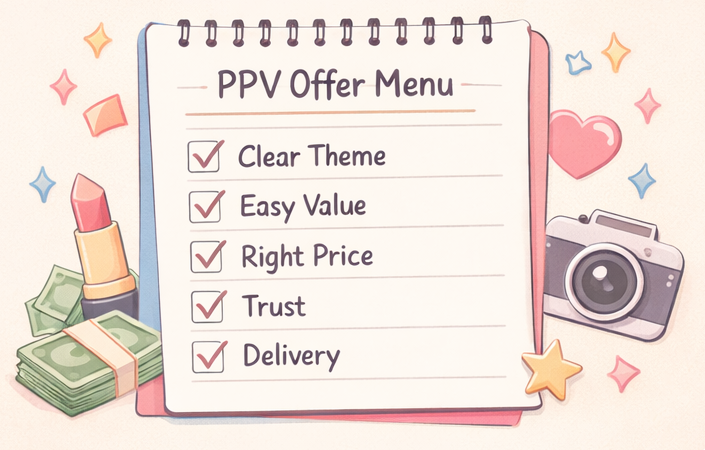
If fans don’t understand what they’re buying, they won’t buy. A simple PPV menu fixes that. Think “3 options” so fans can choose fast.
This section covers:
- A quick scorecard
- 3 menu tiers (Good / Better / Best)
- Bundling rules
Let’s dive in.
Building your menu is easier when you know what types of content actually sell — this list of 25 repeatable PPV ideas covers content formats, price tiers, and bundling options you can slot directly into your offer menu.
PPV offer scorecard for new creators
Before you sell the PPV, check it over with the following criteria in mind:
- Clear theme: “What is this?” is obvious in one sentence
- Easy value: buyer knows what they get (count/time/bundle)
- Trust: your previews match the vibe of the unlock
- Delivery: instant access, no confusion
- Consistency: your offers feel like you, not random
If you have 3/5 or less, fix clarity first: that’s the fastest path to boosting unlock rates.
Three price tiers for maximum conversion
Use a simple Good / Better / Best menu:
- Good: $5–$10 quick unlock (easy yes)
- Better: $12–$25 “main” offer (most sales)
- Best: $30+ bundle/VIP style (for super fans)
Example menu:
- $9 “Mini drop”
- $19 “Full set”
- $39 “Full set + 2 bonuses”
Content bundling rules that boost sales
Bundles raise average order without feeling spammy:
- Bundle same theme together (don’t mix random stuff)
- Add a small bonus (not huge) to justify “Better” tier
- Use a bundle anchor: show single price vs bundle price
Example: “Single unlock is $15. Bundle is $29 (2 unlocks + bonus).”
OnlyFans PPV pricing strategy for setting your rates
Pricing isn’t about being “cheap.” It’s about being clear and fair. And yes—platform fees matter when you set your targets.
This section covers:
- Pricing formulas (with examples)
- Net earnings with the 20% fee
- How to test prices safely
We'll go through these in order.
For a dedicated breakdown of net profit math, A/B testing prices, and how to raise rates without losing fans, this PPV pricing strategy guide covers all the numbers in one place.
Pricing formulas based on content length
Use a starter formula you can adjust:
- Short (quick unlock): $5–$12
- Medium: $12–$25
- Bundle: $25–$60+
If you want a simple math option:
Price = Base ($7) + (minutes × $2)
Example: 6 minutes → $7 + (6×$2) = $19
Don’t overthink it. Start with one range, then test.
Understanding platform fees and net earnings
OnlyFans is widely reported to keep 20%, and creators receive 80%. That impacts your “real” income per unlock.
Example:
- PPV price: $15
- You keep ~80%: $12 (before taxes/expenses)
If you want $300 net from PPV this week:
- $12 net each → 25 unlocks needed
Source: https://time.com/6202306/onlyfans-ceo-ami-gan-interview/
Testing prices without losing fans
Price tests should feel normal, not chaotic:
- Change one thing at a time (price OR offer, not both)
- Test on a segment first (ex: active buyers)
- Explain value briefly if price increases
Example line: “Trying a new bundle format this week—more bonuses inside.”
Also remember: platform rules and price limits can change. Always check your dashboard before you promise anything.
How to sell PPV on OnlyFans: DM scripts that convert
Your unlock rate is mostly a DM quality game. Not more messages: better messages. A good script feels like a text from a friend, not a sales ad.
This section covers:
- A DM structure you can reuse
- Follow-ups that aren’t annoying
- How to keep quality high (without losing your voice)
Let's go through these together.
Converting fans through DMs is also about the full conversation structure, not just the pitch — these conversation starters built for PPV transitions give you the warm-up lines that make the sell feel natural.
Hook-Tease-CTA structure for DMs
Use this 3-part structure for your mass messages or targeted blasts:
Hook (1 line): curiosity + personal vibe
Tease (1–2 lines): what’s inside (keep it simple)
CTA (1 line): clear action + price
Example of a standard PPV blast: “Ok I wasn’t gonna post this on my feed 😅 I made a private drop from last night—full set + a bonus clip. Unlock it for $19 if you want it 💛” (Important: When copying scripts like this, always replace the price like "$19" and content descriptions to match your actual media before hitting send!)
However, the most successful creators often use a more conversational approach in 1-on-1 chats before dropping the locked message.
(Real example: A creator teasing the media in chat first, waiting for the fan's "yes," and then sending the locked $10 message.)
Why this real example works so well: Instead of just blasting a locked message out of nowhere, the creator teases it first ("I can send you a video..."). The fan actively agrees ("wow i would like it"), and then the creator sends the $10 locked media with a sweet, personalized text ("for you💕").
This conversational tease feels much more authentic and drastically increases the unlock rate compared to a cold, automated-sounding blast. Keep the CTA clean and natural.
Follow-up scripts for unlocked previews
Follow-ups work best when they add value, not guilt.
Follow-up #1 (after 12–24h):
“Quick heads up—this drop is still in your DMs if you want it. No pressure 💛”
Follow-up #2 (for engaged fans only):
“I’m filming again soon. Want me to make the next one more (A) sweet or (B) bold?”
That question does two things: it feels personal, and it segments buyers.
Keep chat quality high without losing your voice
Some creators hire a chatter (a person who replies to DMs for you). This can help you scale, but it fans might also feel a “tone change.”
If your biggest problem is missed replies + inconsistent tone, a safer middle option is staying human-led while using AI for draft suggestions.
When your PPV sales grow, keeping up with DMs can feel like an endless chore. You want to maintain a personal connection, but typing out hundreds of messages leads to burnout.
That’s where FanPort comes in. FanPort is designed to free creators from the endless DM grind while helping you earn more through high engagement—even if you have a smaller following. It acts as your smart assistant, suggesting AI-generated DM drafts written in your exact brand voice.
It is NOT a fully automated bot. You remain in complete control. You review the drafts, tweak them if needed, and personally hit send. This ensures your highest-paying VIP fans and loyal subscribers always get the authentic, human connection they deserve, while saving you hours of screen time.
If you’re ready to escape the DM grind, deepen your direct relationships with fans, and boost your earnings without burning out, check out FanPort today.
Start building deeper, more profitable fan connections here: Want to grow faster with this service? Click here.
(Note: FanPort is an independent, fan-centric platform dedicated to genuine creator-fan relationships, fully respecting the compliance and terms of service of other platforms.)
Why your PPV isn’t selling and how to fix it
If PPV isn’t selling, it’s usually due to one of three issues: value isn’t clear, timing is off, or you’re messaging the wrong people. Fixing it is easier when you track a few basics.
This section covers:
- The “Brand Voice Bible”
- Simple data checks
We’ll go through each one step-by-step.
Problem #1: Your DMs don’t feel consistent (fix with a Brand Voice Bible)
One sneaky reason fans stop unlocking is that your messages sound like a bot, not you. A "Brand Voice Bible" fixes this. Write 5 rules so your DMs always sound like you:
- Your nickname for fans (ex: “babe,” “love,” “bestie”)
- Your emoji limit (ex: max 2 per message)
- Your vibe (sweet, playful, confident, etc.)
- Words you never use (ex: “dear,” “kindly”)
- Your boundary line (what you won’t promise)
Example rule: “Always friendly. Never guilt. Always one clear CTA.”
Problem #2: You don’t know why unlocks are low (fix with 3 weekly metrics)
Track these three numbers weekly:
- Open rate (do people open your DM?)
- Unlock rate (opens → buys)
- Churn signals (unsubs after PPV blasts)
Simple fix map:
- Low open rate → your hook is boring OR you message too often
- Good opens, low unlocks → offer unclear OR price mismatch
- Good unlocks, high churn → too frequent OR wrong segment
Segmentation starter:
- Buyers (fans who unlocked in last 30 days)
- Engaged (fans who reply/like)
- Quiet (fans who don't engage)
Only send “Best tier” options to buyers first. That alone can cut churn.
Safety and OnlyFans policies: rules and precautions for PPV
This is not legal advice. OnlyFans policies are subject to change. Always check the current OnlyFans Terms of Service before you scale PPV or change your messaging workflow.
Also: be careful with spammy mass DMs. Fans can mute or leave if they feel blasted. Keep it respectful, and prioritize real connection.
Source: https://onlyfans.com/terms
One more thing: taxes and forms can surprise new U.S. creators. Even if you don’t receive a specific form, you still generally need to report income. If you’re unsure, check official IRS guidance or talk to a pro.
Sources: https://www.irs.gov/businesses/small-businesses-self-employed/self-employed-individuals-tax-center, https://www.irs.gov/businesses/small-businesses-self-employed/manage-taxes-for-your-gig-work
FAQ: Common questions about OnlyFans PPV
How often should I send PPV messages?
Start with 1–3 PPV DMs per week, then adjust based on churn signals. Quality beats volume.
Can I offer discounts to specific fans?
Yes—many creators use targeted offers (like “returning buyers” bundles). Keep it fair and avoid spamming.
What is the maximum price for a single PPV?
As a rough reference, many third-party guides report caps around $200 for a single PPV item, but limits can vary by feature and can change over time. Don’t rely on old screenshots—check your dashboard and the current Terms before setting a high price.