If your DMs never stop, you’re not lazy. It’s normal. On subscription platforms, DMs are how fans feel connected—so your inbox fills up fast. And that’s a fast track to burnout.
That’s why people talk about OnlyFans chatters. A chatter is usually a human helper who replies to messages for a creator. Some creators use them to keep up with volume. But this isn’t “just hiring help.” It can affect trust, privacy, and your reputation—because major reporting has described subscribers complaining that they thought they were talking to the creator when they weren’t.
This guide keeps it simple:
- What chatters do
- Where to find them (jobs) + a safe test task
- How chatters get paid
- The biggest risks (and how to reduce them)
- Safer alternatives—including an alternative channel option (FanPort)
Key takeaways
- Chatters can save time, but they can also create trust problems if fans feel misled.
- Your #1 job is to protect your brand: a respectful tone, clear boundaries, and strong security.
- Start with partial help (labeling + drafts) before letting anyone reply in your voice.
- Avoid pay plans that reward pushy sales—those setups tend to trigger complaints.
- If you want less DM pressure, consider an alternative chat channel instead of handing your inbox to strangers.
OnlyFans Chatters: What They Are and Key Roles
An OnlyFans chatter is usually a person who:
- Reads your subscriber messages
- Replies in a consistent style
- Keeps conversations moving
- Helps with routine follow-ups (welcome messages, reminders, etc.)
Key terminology you often hear:
- Chatter: mostly DMs
- Assistant: broader help (posting, admin) and sometimes DMs
- Agency: a team that provides chatters and scripts
Important: “Chatter” often means “writing in your voice.” That’s why trust matters.
Source: https://www.reuters.com/investigates/special-report/onlyfans-sex-chatters/
OnlyFans Chatters: Why Creators Hire Support
Most creators hire help for three simple reasons:
- Volume: Messages grow faster than you can answer.
- Speed: Fans like fast replies.
- Energy: DMs can be repetitive and draining.
To determine if you are truly at the stage where outsourcing makes sense, let's visualize your daily workload. Use this quick calculation to evaluate your need for support:
60-second “Inbox math”
- How many conversations need replies each day? A (New DMs + ongoing chats)
- Average minutes per conversation? B (minutes to read + reply)
- Total minutes = A × B
- Total hours = (A × B) / 60
If you’re spending 1–2 hours/day or more, If you are putting in 1-2 hours a day or more, it may make sense to outsource support.
OnlyFans Chatters: Pros and Cons of Hiring Help
Pros
- Faster replies
- Less stress
- More time for content and your life
- More consistency (if managed well)
Cons (the main risks)
- Trust risk: Fans may feel misled or betrayed
- Privacy risk: A third party sees private messages
- Quality risk: When the reply sounds just a little off, making it feel inauthentic.
- Reputational risk: Pushy messaging can trigger complaints, refund requests, and chargebacks
The biggest risk: fans think it’s you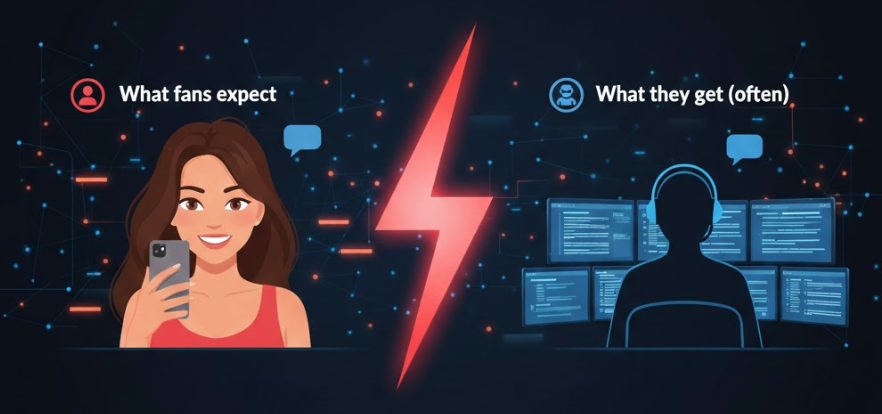
This is where creators get into trouble—emotionally and reputationally.
Reports indicate that subscribers have complained about being misled into thinking they were chatting directly with the creator.
Source: https://www.reuters.com/investigates/special-report/onlyfans-sex-chatters/
A simple rule that protects you
Don’t build your brand on a promise you can’t keep.
If your bio, marketing, or messaging strongly implies “it’s always me,” then having someone else reply can create a mismatch.
(General information, not legal advice.)
OnlyFans Chatters vs. AI: Is It Safe to Automate?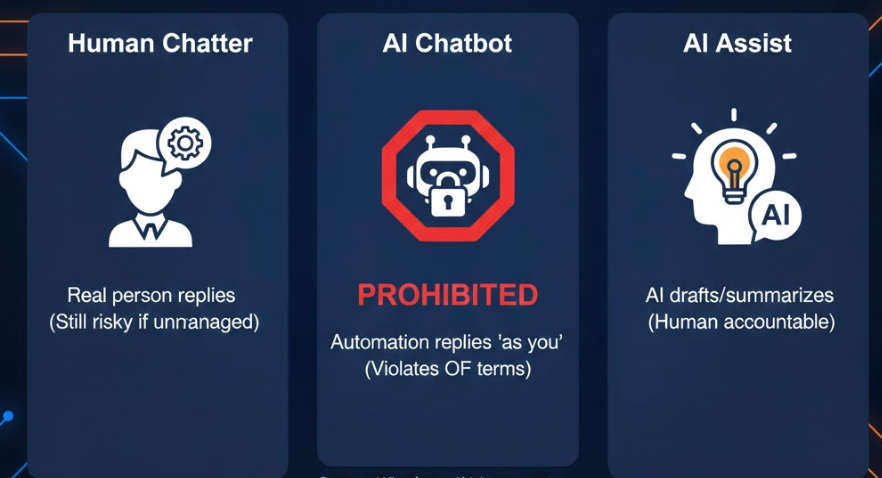
Creators often ask: “Can AI do my DMs?”
Here’s the safe way to think about it:
- Human chatter: a real person replies. replies. (Still risky if unmanaged.)
- AI chatbot: automation replies “as you.” As reported by Reuters, OnlyFans’ terms have explicitly prohibited creators from using AI chatbots for chats/DMs—so always double-check the latest rules before you try anything automated.
- AI assist: AI helps draft/summarize, but a human stays accountable.
Source: https://www.wired.com/story/onlyfans-models-are-using-ai-impersonators-to-keep-up-with-their-dms
A good rule of thumb: never let automation replace your identity.Stay in the loop!
For a closer look at which AI tools are actually policy-safe and which ones put your account at risk, read the full breakdown of OnlyFans chatbots and safer automation options.
Are human chatters “allowed”?
This is not legal advice, and OnlyFans OnlyFans policies are subject to change. Always check the current Terms of Service.
In real life, the bigger issue is usually how you do it.
- Do fans feel misled?
- Is your tone respectful?
- Is privacy protected?
- Are you accountable for what gets sent?
Source: https://www.reuters.com/investigates/special-report/onlyfans-sex-chatters/
“Lawsuit / complaint” risk
When people search “onlyfans chatters lawsuit,” they’re usually worried about:
- Fans complaining (refunds, chargebacks, angry messages)
- Reputation damage (screenshots, social posts)
- Being accused of misleading people
You reduce these risks by being careful about:
Promises (don’t imply “always me” if it isn’t)
Tone (respect-first, no pressure)
Proof you’re actively overseeing the inbox (rules + regular reviews)
Source: https://www.ftc.gov/system/files/documents/public_statements/410531/831014deceptionstmt.pdf
How to Choose an OnlyFans Chatter: 4 Operational Levels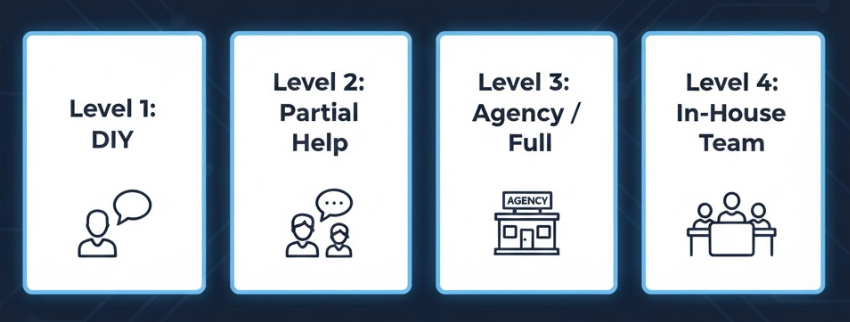
Pick the simplest step that matches your level.
Level 1 — DIY (best when you’re new)
Choose DIY if:
- You’re still finding your voice
- You want full authenticity
- DMs are manageable
Action: Write a mini “Voice guide” (see below).
Level 2 — Partial help (best beginner upgrade)
Choose partial help if:
- You need a streamlined process
- You still want to send final replies yourself
Example:
- Helper labels messages, drafts replies, flags complaints
- You approve/send the important stuff
Level 3 — Agency or full chatter coverage (higher risk)
Choose this only if:
- You can review chats every week
- You have strong rules + security
- You can handle training/QA
Level 4 — In-house team (best control, more work)
Choose this if:
- You are scaling at pace
- You want full control and training
OnlyFans Chatters Hiring Guide: Where to Find and Test Candidates
Finding the right person means looking in the right places and doing a simple, paid test of their skills. Here is how to source and evaluate candidates effectively.
Where to find chatters (jobs)
You can find candidates in three common places:
- Creator communities (Reddit / Discord / Facebook groups)
Fast, lots of applicants. Quality varies. - Remote job boards (search “OnlyFans chatter” / “creator inbox assistant”)
More structured listings. Many of them are posted by agencies. - Freelancer marketplaces
Massive talent pool. Filter by writing and customer support experience.
Beginner tip: Wherever you find them, don’t trust claims—test skills.
A safer paid test task (30–45 minutes)
Always do a paid test. Keep it simple.
Send them:
- Your “Never-do” policy (above)
- Your “Voice guide” (below)
Give them 4 mini tasks:
- Voice match: write 2 replies in your style
- Boundaries: reply to a contact-info request (must say no, politely)
- Complaint: draft a calm response + flag it for you
- Safety check: explain how they handle 2FA/passwords and offboarding
Pass: calm tone, clear boundaries, no manipulation, basic security habits
Fail: “they won’t notice,” fake personal stories, guilt tactics, sloppy security
If you're ready to move forward, here's a full breakdown of how to vet, test, and hire the right chatter without getting burned.
OnlyFans Chatters Operational Rules: Protecting Your Brand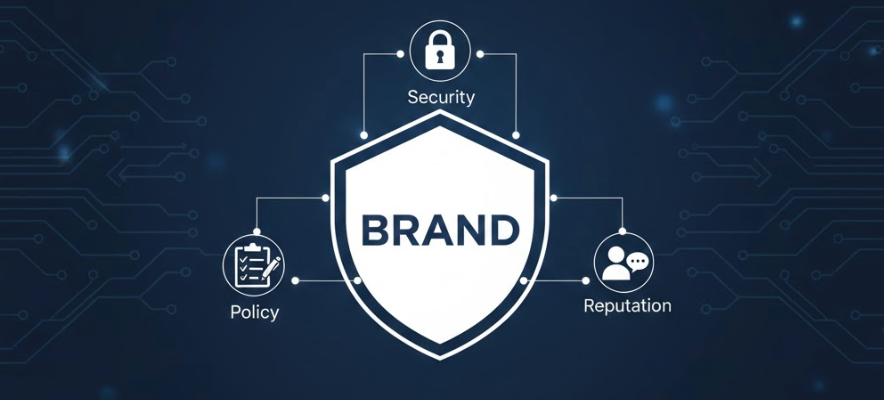
If you decide to hire, you’ll want clear rules to protect your brand and avoid reputational damage. Use these policies as a foundation.
A beginner “Never-do” policy
If you hire anyone (chatter, assistant, agency), make them agree to this:
They must never:
- Make up personal stories (“I’m at the gym right now”)
- Use fake urgency (“last chance” when it’s not true)
- Ask for personal contact info (phone/address/private socials)
- Promise things you won’t deliver (custom requests, timelines, meetups)
- Pressure, guilt, shame, or spam people
- Share login info, payout info, or internal notes
- Ignore complaints—always flag them for you right away
Why this helps: It prevents the most common causes of complaints.
A 1-page Voice guide
- Tone: friendly vs. calm vs. playful (pick one as your baseline)
- Emoji level: low/medium/high
- 5 phrases you often use
- 5 phrases you never use
- Hard boundaries: what you won’t promise
- Escalation triggers: refunds, complaints, safety
Weekly review
Once a week:
- Read 10 random chat snippets
- Look for: pushiness, voice drift, misleading lines
- Fix: update scripts, coach, tighten rules
Once your rules are in place, the next step is pushing performance — see how to coach your chatter to increase PPV sales and reply quality.
OnlyFans Chatters: Costs and Pricing Models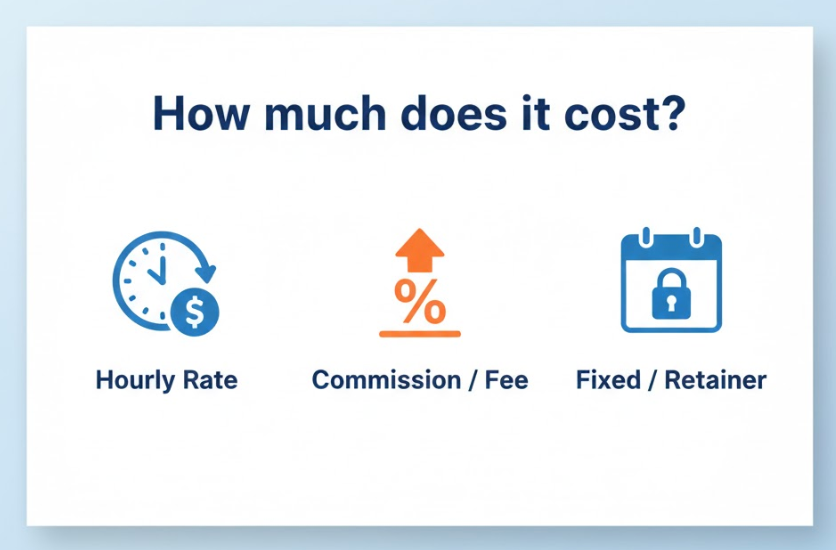
Prices vary, but you can still budget with realistic ranges. What matters most is the model (hourly vs commission) and the quality bar, not just how many people you hire.
Common pricing models:
- Hourly / per shift: often $3–$5/hr (entry-level/offshore) or $20–$35+/hr.
- Monthly retainer: typically just “prepaid hours.”
Example: 2 hours/day ≈ 60 hours/month → $300/month at $5/hr or $1,500/month at $25/hr. - Commission: commonly around 10%–15% of sales/content sold in some setups (incentives can get aggressive if rules are weak).
- Hybrid: small retainer + modest bonus; still needs strict boundaries.
Beginner-safe advice:
- Start small with 1–2 hour shifts so you can audit tone and results.
- Pay for quality + safety first (clear boundaries, respectful messaging).
- Avoid plans that reward high-pressure tactics without any oversight.
OnlyFans Chatters: Essential Security Checklist
If someone helps with DMs, treat it like a sensitive role.
Basic checklist:
- Use strong, unique passwords + 2FA (MFA)
- Don’t give access to payouts or critical settings
- Keep a simple access log (who had access, and when)
- Remove access immediately when someone leaves
- If anything feels wrong: change passwords, lock down access fast
Safer Alternatives: Reducing DM Pressure Without Hiring
If full outsourcing feels scary, you have options:
- Option A: DIY + templates (safest, more effort)
- Option B: Partial help (drafts/triage; you control final replies)
- Option C: Use FanPort — The World’s Most Fan-Centric Platform
If you want to reduce DM pressure without losing your personal connection, consider FanPort. Unlike traditional sites, FanPort is built on a simple mission: "Never leave a fan alone."
Important: FanPort is an independent platform designed for deep engagement, not a bot for OnlyFans. It features a built-in AI Co-pilot that helps you cherish every single fan, even as your inbox grows.
- AI-Powered Suggestions: The AI remembers every fan’s preferences and suggests the perfect, respectful reply to keep the conversation warm and personal.
- Human-Led Connection: The AI never sends messages on its own. It acts as your assistant, providing drafts that you review and send yourself. This ensures that every interaction remains 100% authentic and driven by your care for your community.
- Beyond Productivity: We use AI not just to "save time," but to ensure no fan ever feels ignored, helping you build a sustainable career rooted in real relationships.
Ready to grow a community where every fan feels valued? Explore FanPort and start your fan-centric journey here → https://fanport.co/
FAQ
Q1. What is an OnlyFans chatter?
A. hired operator who manages a creator's DMs to maximize engagement.
Q2. Is it safer to use AI than a human chatter?
A. On OnlyFans, using AI to automate chats is against the Terms of Service and very risky. However, on platforms like
FanPort, AI is a built-in "Co-pilot" that helps you draft replies. Since you review and send every message yourself, it is much safer than handing your login info to a stranger (chatter).
Q3. How do I avoid complaints?
A. Use a Never-do policy, review chats weekly, and avoid pushy messaging.
Q4. How do I test a chatter safely?
A. Do a paid test with voice match, boundaries, complaint handling, and security questions.
Q5. Do I need chatters to grow?
A. Not always. Many creators start with templates or partial help first.