If you’re already posting but your PPV strategy still feels hit-or-miss? You're not alone in this.
Once you figure out what to sell, how much to charge, and what to say in your DMs, PPV can become a straightforward weekly routine without feeling pushy.
This article is written for creators aged 18 and older and does not contain explicit content
Here's what we are covering:
- 25 repeatable OnlyFans PPV ideas you can use repeatedly
- A simple PPV pricing ladder + bundle calculations
- OnlyFans PPV message ideas you can copy/paste
- A schedule to prevent churn and “too many PPVs” vibes
- How to track results so your OnlyFans income can grow over time
If you want more unlocks with less stress, this gives you a plug-and-play structure.
OnlyFans PPV ideas you can use repeatedly
PPV is most effective when you treat it as a weekly “new content” rather than sending it randomly. Also, PPV-based monetization is a major part of platform economics because non-subscription revenue (which includes messaging/access unlocks) is larger than subscription revenue in reported financials.
This section covers:
- Low-effort content you can shoot in bulk
- A series strategy for building repeat customers
- Premium VIP add-ons that never disappoint
Low-effort PPV content you can shoot in bulk with your phone
Here are 15 low-effort PPV ideas you can shoot in one session (maintain your brand identity and avoid overly explicit content):
- “Behind the scenes” mini set
- Outfit try-on set (3 looks)
- Theme color set (all black / all white / pastel)
- Hair/makeup glow-up set
- Cozy “day in my life” clips
- Fitness mini routine
- Travel / hotel vibe (non-graphic)
- Mirror selfies pack
- “Before going out” set
- “After hours” cozy set (non-graphic)
- Polaroid-style edits pack
- Photo + voice note bundle
- “Top 10 favorites” Q&A video
- “Bloopers” / funny moments
- Aesthetic close-ups (hands, accessories, nails)
Here's a tip: Put these into a “PPV Vault” folder so you can send them again.
If you ever feel stuck, pick 3 creators in your niche and study their “packaging,” not their explicit details:
- What do they call their content? (title)
- What do they offer? (vibe / theme / outcome)
- How do they price it? (low/mid/high)
Then write your own version in your voice.
PPV series bundles that create repeat customers
Series sell because fans know what to expect next. Try 6 repeatable series formats:
16) Weekly “Lookbook” (Episode 1/2/3…)
17) Monthly “Best of” pack
18) Seasonal themes (spring, summer, spooky, etc.)
19) Skill journey (fitness, dance, makeup)
20) “Storytime” audio/video episodes
21) “Challenge week” (3-day mini arc)
Keep the series name consistent so it becomes recognizable.
Premium VIP add-ons that never disappoint
Personalized doesn’t have to mean complicated. Here are 4 add-ons you can offer safely:
22) Name shout-out (short video)
23) “Pick my next theme” VIP vote
24) Custom “bundle upgrade” (extra pics)
25) Priority DM reply window (set boundaries)
Boundary rule: Always set a clear scope (“short video,” “1-minute max,” “delivered in 48 hours”) so you don’t burn out.
OnlyFans PPV pricing tiers and bundle calculations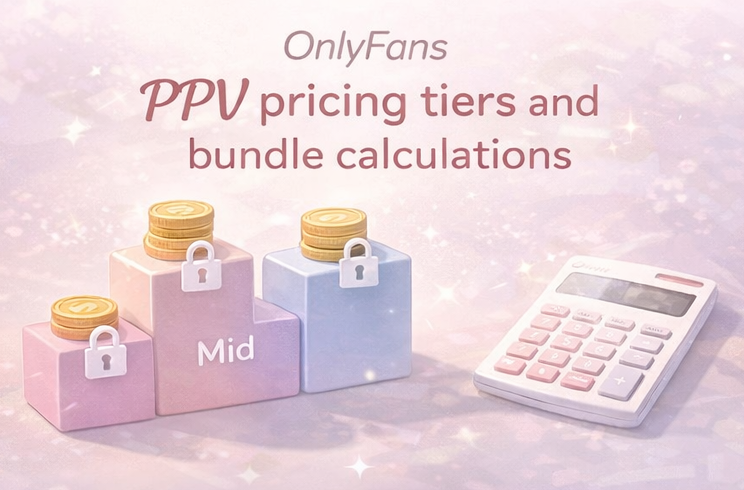
Pricing gets easier when you stop guessing and use a simple ladder. This section covers:
- Low-mid-high tier system
- Bundle calculation example
- Ethical discounting that prevents fans from holding out for promotions
If you want to go deeper on the pricing math — including how to test price points, avoid underpricing, and segment VIPs from casual buyers — this full PPV pricing strategy guide walks through the exact calculations.
Simple low-mid-high pricing ladder
This is a pricing plan for beginners (you’ll adjust based on your niche and demand):
- Low ticket ($10–$15): quick drop / mini set
- Mid ticket ($20–$40): bigger pack / longer video / themed bundle
- High ticket ($50–$100+): premium pack / limited bundle / personalized add-on
Example: If you usually sell low-ticket PPV, introduce one mid-ticket drop weekly to lift your average.
Bundle pricing example and what you net after fees
OnlyFans has described creators earning 80% of fan payments (platform keeps ~20%).
Source: https://find-and-update.company-information.service.gov.uk/company/10354575/filing-history/MzQ3ODYzMjUwOGFkaXF6a2N4/document?download=0&format=pdf
Simple calculation example:
If you sell a $20 PPV, you may net about $16 after the platform fee (before any taxes/expenses).
Bundle pricing example:
- Single drops: $12 + $12 + $12 = $36
- Bundle offer: $29 for all three (feels like a win, still strong)
Limited time offers and ethical discounts
Use urgency without being manipulative:
- “24-hour bundle price”
- “Weekend drop”
- “First-time unlock bonus” (small add-on)
Avoid constant discounts. If every message is a sale, fans stop believing it’s special.
OnlyFans PPV message ideas and scripts to boost open rates
Good PPV isn’t just “content.” It’s context. Fans open your message when they understand what it is and why it's worth buying.
This section demonstrates:
- Copy/paste ready templates
- Path to first purchase
- Follow-up flow that doesn't feel pushy
(Real example: A natural flow where the creator asks if the fan wants a video, the fan eagerly agrees, and the creator sends a $10 locked PPV. This is how smooth selling should look.)
Great scripts work better when they're part of a broader DM system — this step-by-step guide to selling PPV on OnlyFans covers the full setup, offer menu structure, and how to keep chat quality high while scaling.
Copy-and-paste ready PPV scripts to boost open rates for different vibes
Use DMs consistently and keep it short.
How to use these scripts:
- Variables: Replace bracketed text like [THEME] or [VIBE] with specific details (e.g., "nurse outfit," "post-workout glow"). Use OnlyFans' auto-name feature for [NAME].
- Where to paste: For welcome messages, set them in your automated Welcome Message settings. For daily drops, use the Mass Message feature and strictly select the fan segment you want to target.
Script 1 (soft + curious):
“Quick drop for you 😌 I made a mini set with a [THEME] vibe. Want it?”
Script 2 (clear value):
“New PPV: [WHAT IT IS] (about [LENGTH] / [COUNT] pics). If you’re into [VIBE], you’ll love this.”
Script 3 (VIP energy):
“I saved my favorite shots for a locked drop. If you unlock, tell me your favorite one 👀”
Script 4 (bundle):
“I can send 3 drops as a bundle today for $[BUNDLE]. Want the bundle or just today’s drop?”
Script 5 (re-engage politely):
“No pressure at all—just wanted to share it in case you’re in the mood for a [VIBE] drop today 💛”
Welcome PPV message and the path to first purchase
Your first PPV to a new sub should be easy to say yes to: low ticket clear description “what you get” in one line
Welcome flow example (The "Real Creator" Structure): Instead of generic greetings, top creators structure their welcome messages to immediately spark a conversation and showcase their unique persona.
(Real example: Notice how this creator states their vibe ("sweet when I want to be, spicy when I need to be") and explicitly asks the fan to "tell me something fun about yourself." This low-pressure hook is proven to start chats.)
- Warm welcome + persona: Show your personality immediately.
- The "Hook" question: Ask them something easy to answer to get them talking.
- Offer a starter PPV: Once they reply, naturally transition to a low-ticket starter drop.
Starter script to copy/paste: “Hey [NAME] 💛 What vibe do you like most—cute, glam, sporty, cozy? I also have a starter drop if you want something fun right away.”
Follow up flow that sells without being spammy
A “chatter” is someone hired to send DMs for you. Some creators use chatters, but many fans prefer your real voice. Either way, spamming is strictly prohibited.
Basic follow-up steps:
- T+24h: “Last call for the bundle price (no pressure).”
- T+72h: “New drop soon—what vibe should I do next?”
- Next week: resend to a smaller segment (not everyone)
Where FanPort fits (without breaking trust):
If managing DMs and PPV sends starts feeling like an overwhelming full-time job, but you want to ensure no fan ever feels ignored, consider a human-led platform where you stay fully in control.
FanPort is the world’s most fan-centric platform, built on the core belief that direct, authentic relationships are everything and every fan deserves to feel remembered. FanPort acts as your ultimate assist tool—it organizes your chats and helps you avoid reply slip-ups with smart AI draft suggestions. It is not a “completely automated bot.” You always review and hit send, ensuring that your high-tipping VIPs and loyal subscribers receive genuine, personalized attention directly from you.
By freeing yourself from the grueling DM grind, you can focus on creating great content and building real connections. You don't need a massive audience; with FanPort's relationship-focused features, you can earn significantly more through high engagement, even with a smaller fanbase. Let the AI handle the heavy lifting of drafting and organizing, so you can focus on what matters most: your fans.
Want to grow faster with this service? Click here.
OnlyFans PPV scheduling and frequency to prevent fan churn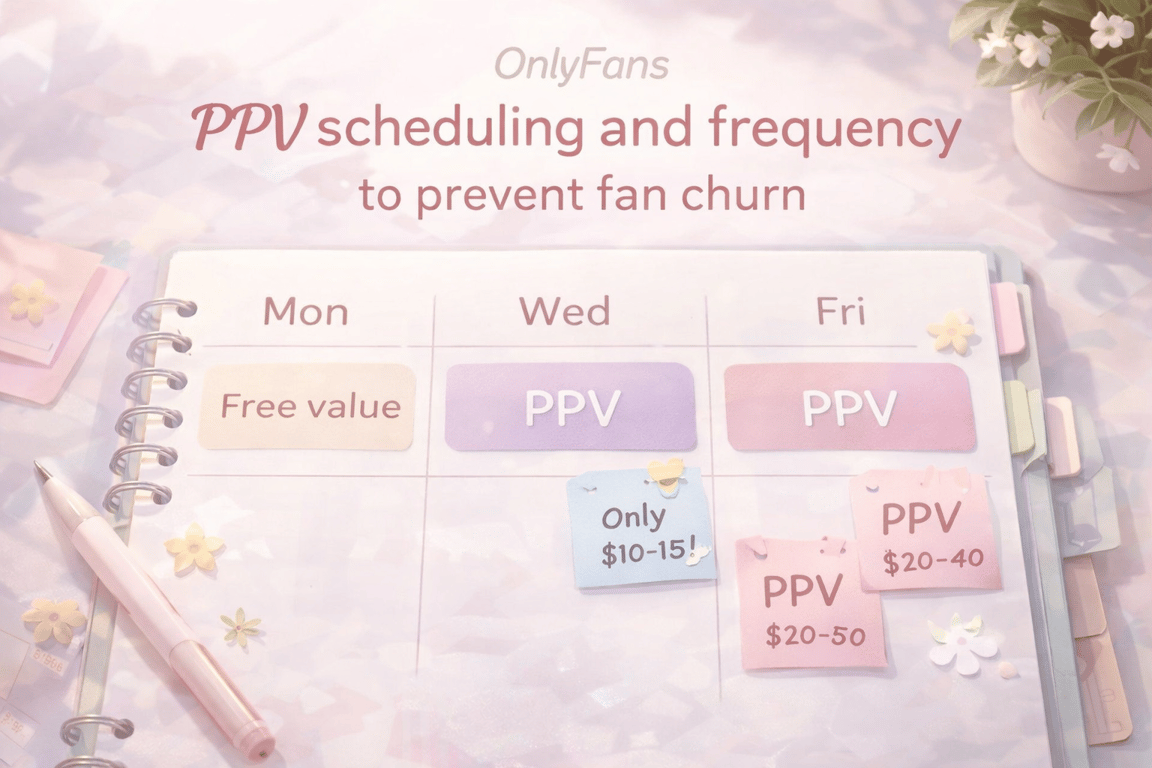
Consistency sells, but too many PPVs can cause fatigue. This section covers:
- easy weekly schedules
- segmentation ideas
- Resending past content without losing its appeal
Scheduling PPV drops is one part of the picture — this complete PPV strategy guide covers how to map your full funnel, protect retention rate, and adjust cadence based on your fan segments.
Weekly schedule options for busy creators
Pick one schedule you can actually maintain:
Option A (light): 1 PPV / week + 2 free-value posts
Option B (steady): 2 PPVs / week (one low, one mid)
Option C (launch week): 3 PPVs in one week, then back to 1–2
Example weekly calendar (Option B):
Mon: Free value post (tease the week’s theme)
Wed: Low-ticket PPV drop ($10–$15)
Fri: Mid-ticket PPV drop ($20–$40)
Sun: Free value post + poll (“next week vibe?”)
Bridge sentence (why this matters): A predictable cadence reduces anxiety—fans know when drops happen, and you stop scrambling.
Segmenting high-tipping VIPs and new fans
Don’t send everything to everyone. Segment like:
- New subs (starter PPV)
- Recent unlockers (mid-ticket)
- VIP/top tippers (premium bundle)
- Quiet fans (soft re-engage, fewer promos)
Example: Send premium bundles only to your top 10–20% spenders.
Vault resend and resell strategies without annoying fans
Vault resends are normal if you do it clean:
- rename the drop (“Fan favorite from last month”)
- add a tiny bonus (1 pic, a voice note, a poll)
- resend to a segment that didn’t unlock last time
PPV analysis to boost your OnlyFans income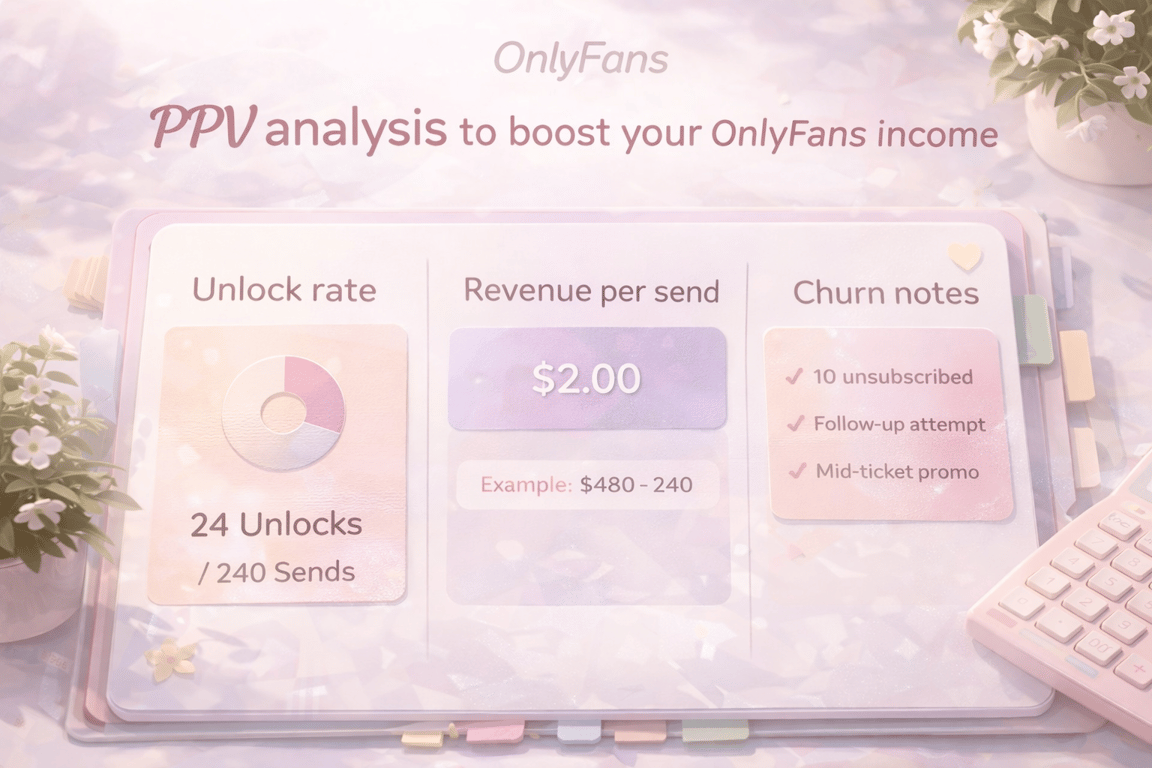
Ideas matter but it's analysis that generates consistent PPV revenue. This section covers:
- the 3 metrics to watch
- Simple diagnosis for low open rates
- one-week A/B tests
Key metrics: Unlock rate and revenue per send
Track these:
- Open rate: opens ÷ sends
- Revenue per send: PPV revenue ÷ sends
- Churn notes: did subs drop after heavy promo weeks?
Example: You send to 200 fans, get 20 unlocks → unlock rate = 10%.
If PPV price is $15, revenue = $300 → revenue per send = $1.50.
Quick diagnosis when PPV is not selling
If open rate is low, usually it’s one of these:
- unclear description (fan doesn’t “get it”)
- price doesn’t match perceived value
- wrong segment (sending premium to cold fans)
- too many sales messages too fast
Fix one variable at a time.
Tiny A B tests you can run in one week
Run small tests:
- Same PPV, two hooks (curious vs direct value)
- Two price points (e.g., $12 vs $15) to similar segments
- Short vs slightly longer description
Rule: Change one thing, keep the rest the same.
OnlyFans PPV safety, privacy, and tax essentials
This section covers three basics:
- policy + consent boundaries
- privacy/identity protection
- simple income tracking reminders for 2026
We’ll break them down one by one.
OnlyFans Terms of Service checks and consent boundaries
This is not legal advice. OnlyFans policies are subject to change. Always check the current Terms of Service.
Use clear personal boundaries (what you do/don’t offer) and avoid any content that violates platform rules. When in doubt, choose the safer option.
Source: https://find-and-update.company-information.service.gov.uk/company/10354575/filing-history/MzQ3ODYzMjUwOGFkaXF6a2N4/document?download=0&format=pdf
Privacy options and faceless friendly PPV ideas
Privacy-friendly ideas:
- hands-only aesthetic sets (nails, outfits, accessories)
- POV-style “day in my life” clips (no face)
- voice notes + photo packs
- polls and VIP votes (no extra media needed)
Protect your real name, location hints, and metadata whenever possible.
Income tracking and 1099 reminders for 2026
This is not legal advice. OnlyFans policies are subject to change. Always check the current Terms of Service.
For U.S. creators, tax forms and thresholds can change. As referenced by an IRS news release, the Form 1099-K reporting threshold was described as reverting to $20,000 and 200 transactions (general rule for third-party settlement organizations). Even if you don’t receive a form, taxable income rules can still apply.
Source: https://www.irs.gov/newsroom/irs-issues-faqs-on-form-1099-k-threshold-under-the-one-big-beautiful-bill-dollar-limit-reverts-to-20000
Keep it simple:
- monthly income ledger (date, amount, notes)
- receipts for expenses
- set aside a % for taxes
If you see commentary about 1099 threshold changes for 2026, verify how it applies to your situation and payout method.
Source: https://www.littler.com/news-analysis/asap/tax-bill-changes-1099-reporting-thresholds
Source: https://www.irs.gov/instructions/i1099mec
FAQ
Why are my PPV messages not selling?
Usually the hook is unclear, the offer doesn’t match the segment, or you’re sending too often. Tighten the description and test one change at a time.
What should I send as my first PPV to new subscribers?
A low-ticket “starter drop” with a clear one-line description. Make it easy to say yes to.
How much should I charge for PPV on OnlyFans?
Use a simple low/mid/high ladder and adjust based on unlock rate. If unlocks are strong, test a small price increase.
How many PPVs per week is too many?
If you see unsubscribes rising or DMs going quiet, reduce frequency and add more free-value posts. Many creators do best at 1–2 PPVs weekly, but it depends.
How do I reuse old PPVs without losing trust?
Resend to smaller segments, rename it as a “fan favorite,” and add a small bonus so it feels updated.