When someone subscribes, they’re at their highest curiosity point—and your welcome DM is the first “relationship moment” you control.
This guide gives you OnlyFans welcome message examples you can copy, plus a simple system to keep chats warm (without living in your inbox). You’ll get:
- Copy-paste welcome templates by style and niche
- Follow-up scripts that turn “seen” into replies
- A light approach to OnlyFans automated messages (what to automate, what to keep human)
- Safety + trust rules so you don’t accidentally push people away
Note: This is general information, not legal or tax advice. Always double-check the current OnlyFans Terms of Service and your local laws.
OnlyFans welcome message examples that actually get replies
Your welcome DM isn’t just “hi”—it’s a mini onboarding that starts a conversation fast. In this section you’ll learn:
- What your first message must accomplish
- A reusable 5-part structure
- Easy personalization that doesn’t feel fake
We’ll break these down one by one.
What a welcome message needs to do in the first 10 seconds
A strong welcome message does three jobs:
- Confirms the vibe (“You’re in the right place.”)
- Reduce friction (make replying feel easy)
- Open a loop (give them a reason to answer)
The simplest rule: one clear question at the end beats three paragraphs of “about me.”
If you’re competing for attention on mobile (which most subscribers use), short wins. Many traffic tools report OnlyFans is heavily mobile-led, so assume your first DM is skimmed in a few seconds.
Source: https://www.semrush.com/website/onlyfans.com/overview/
Real-World Examples: Anatomy of Welcome Messages from Top Creators
Before we get into the copy-paste templates, let’s look at how successful creators actually structure their welcome DMs. Notice how none of these are long, boring essays. They use a blurred teaser image, a specific tone, and a clear reason to reply.
Example 1: The "Niche Vibe" Approach
- The Hook: "Hey beautiful soul!" immediately sets a warm, spiritual/wellness tone.
- The Value: Mentions exactly what the fan can expect ("magic of food, self-care").
- The Trigger: Ends with a highly engaging, personalized question ("What's your favorite way to connect with your body and soul?").
- Why it works: It filters for fans who are genuinely interested in her specific niche, making follow-up conversations much easier to monetize.
Example 2: The "Low-Friction" Approach
- The Hook: A playful, slightly random compliment ("like a Swiss watch, just on time").
- The Trigger: "What time is it now for you?"
- Why it works: This is a masterclass in reducing friction. Asking "what time is it?" requires zero brainpower to answer. The sole goal of this message is to get the fan to type anything. Once they reply with their time zone, the ice is broken, and she can seamlessly transition into a more intimate chat.
Example 3: The "Strong Personality & Clear CTA" Approach
- The Hook: Clearly establishes her brand and personality ("100% Italian treat - sweet when I want to be, spicy when I need to be").
- The CTA (Call to Action): Explicitly tells the fan what to do ("don't be shy - send me a message").
- The Safety Net: "Or just say hi, and I'll do the rest."
- Why it works: She tells fans exactly how to behave. By offering an easy out ("just say hi"), she removes the pressure for the fan to come up with a clever opening line. It also cleverly includes a link to her main page for cross-promotion.
As you can see, the best messages don't ask for money upfront. They ask for interaction. Now, let’s break down the exact framework you can use to build your own.
Pro Tip: How to use these templates in OnlyFans Go to Settings > Chats > Welcome message and paste your chosen template into the text box. Whenever you use {name}, OnlyFans will automatically replace it with the subscriber's display name.
The 5-part “money message” framework you can reuse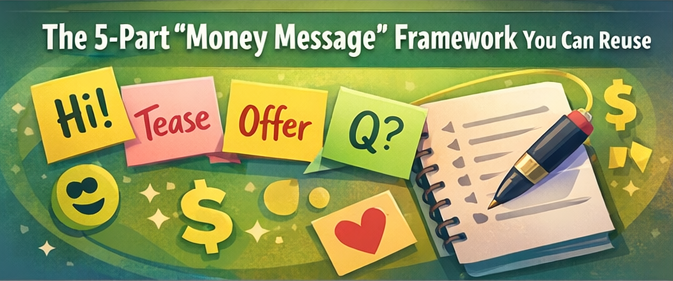
Use this structure for most welcome messages:
- Attention: Name + warm greeting
- Context: Thanks + tiny “proof you’re real” detail
- Tease: Hint at what they’ll enjoy (no explicit wording)
- Offer: A simple next step (poll, “pick one,” starter bundle)
- Question: One easy question to trigger a reply
One-line example (copy and paste):
“Hey {name} 💛 thank you for subscribing—what made you click today: outfits, behind-the-scenes, or chill chat?”
Quick personalization ideas that don’t feel fake
Personalization doesn’t have to be creepy or time-consuming. Use “light” signals:
- Their display name
- What they liked/commented on most recently(if visible)
- A choice question that lets them guide the conversation
Example:
“Welcome {name}!I’m glad that you found me 😊 Quick question—are you here more for comfy vibes or playful surprises?”
OnlyFans Welcome Message Examples & Templates by Style
Different “voices” convert different fans—your goal is consistency, not perfection. This section covers:
- Copy-paste templates by creator style
- Soft boundary scripts (so you don’t feel on-call)
- Short versions for free trials vs paid subs
Pick the tone that feels like you.
Friendly and bubbly welcome message examples
- “Hey {name}!! Thanks for joining 🥰 Tell me—what should I call you?”
- “Welcome in, {name} 💕 I’m so happy you’re here. What kind of content do you enjoy most—pics, short clips, or chat?”
- “You made it 😄 Quick vibe check: sweet & cozy or bold & playful?”
Confident and flirty welcome message examples
(Keep it suggestive-but-safe—no graphic wording.)
- “Hey {name} 😌 You’ve got great taste. What are you in the mood for (A) daily posts, (B) behind-the-scenes, (C) something personalized?”
- “Welcome, {name}. This is my private space—tell me what you’re in the mood for: chill, playful, or ‘surprise me’?”
- “You just unlocked the good stuff 😏 One question—pics or clips?”
Minimal and classy welcome message examples
- “Welcome, {name} 🤍 What brought you here today?”
- “Thanks for subscribing. If you tell me what you like, I’ll point you to the best posts.”
- “Hi {name}. What are you looking for: casual, glam, or behind-the-scenes?”
“Soft boundaries” welcome message examples that set expectations
These reduce burnout while staying warm.
- “So happy you’re here 💛 If I’m slow to reply sometimes, it’s because I’m filming—what’s one thing you’d love to see this week?”
- “Welcome! I check messages a few times a day. What name should I use for you?”
- “Thanks for joining 😊 I love chatting—what time zone are you in?”
Welcome messages are just the start — if you want templates for PPV drops, re-engagement, and tip prompts too, here's a full library of DM scripts for every stage of the fan relationship.
OnlyFans welcome message examples by niche and content angle
Niche doesn’t mean you must be explicit—it means you’re specific about the fantasy/interest. This section includes:
- Niche-friendly welcome scripts
- “Angle” prompts that start real conversations
- Safe phrasing you can adapt quickly
Choose a script that matches your brand.
Cosplay and character-based welcome scripts
- “Welcome, {name} ✨ Which character should I bring back next—Option A or B?”
- “Heyy {name}! Are you here for cute cosplay, villain energy, or behind-the-scenes makeup transforms?”
- “You’re in 😄 Pick your starter: (A) top cosplay set, (B) BTS clip, (C) vote for next outfit.”
Fitness and lifestyle creator welcome scripts
- “Welcome {name}! Do you want more workouts, meal ideas, or lifestyle behind-the-scenes?”
- “Thanks for subscribing 😊 What motivates you most right now—confidence, consistency, or stress relief?”
- “Quick poll: do you want gym fits routines, or daily life updates?”
Girlfriend-experience style welcome scripts
(Stay safe: focus on attention + warmth + conversation.)
- “Hey {name} 💛 I’m really glad you’re here. What kind of connection do you like—sweet check-ins, playful flirting, or just relaxing chat?”
- “Welcome! Tell me one thing about your day and I’ll share something too 😊”
- “If you could pick our vibe: cozy, teasing, or supportive—what’s your choice?”
Fetish or niche-interest welcome scripts without explicit wording
Use broad, non-graphic language and let them lead.
- “Welcome, {name} ❤️ I’m curious—what kind of ‘aesthetic’ do you like most: soft, bold, or playful?”
- “Hey {name}! Any favorite themes—outfits, heels, cosplay, or something custom?”
- “You can tell me what you’re into (no pressure). I want to start with a simple question: pics or clips?”
OnlyFans Automated Messages: Timing, Rules, and Segmentation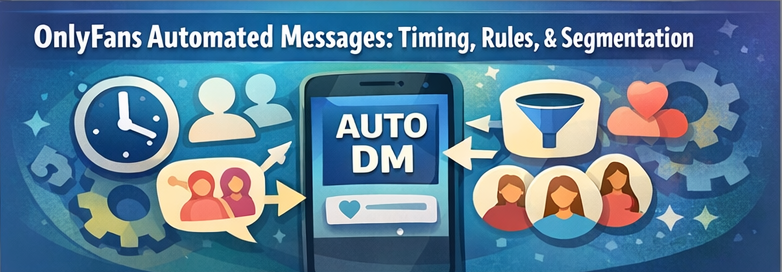
Automation can protect your energy and keep fans from waiting hours. This section covers:
- Timing rules that fit mobile behavior
- What to automate vs. what to keep human
- Segmentation ideas for different subscriber types
Use these points to stay consistent without sounding robotic.
Before setting up any automation, make sure you know what's allowed — a breakdown of which chatbot tools are policy-safe and which ones risk your account will save you from a costly mistake.
Best send timing and why it matters for mobile-first audiences
A practical guideline: send your welcome message immediately (or as close as possible), because interest is highest right after subscribing.
If you also send a second message, do it within 12–24 hours—not three days later.
Some creator tool research emphasizes how faster response times and triggered messaging can improve conversion metrics in broader creator funnels. Treat those numbers as tool-provider benchmarks, not guarantees.
Source: https://creatorflow.so/blog/best-marketing-tools-onlyfans-creators/
What to automate vs what to keep manual
Automate:
- The first hello (short + friendly)
- A menu/poll message
- A 24-hour follow-up if no reply
Keep manual:
- Anything truly personal (custom requests, emotional support, conflict)
- High-value fans (VIPs)
- Anything that requires nuance or consent
Example split:
Automated DM: “Welcome {name} 💛 Pick one: A) outfits B) BTS C) chat”
Manual reply: “You picked BTS—love that. Want cute everyday or glam behind-the-scenes?”
Simple segmentation: free trial, paid subscriber, renewals, VIP
Segmenting keeps your messages relevant.
- Free trial: gratitude + “best of” posts + one question
- Paid subscriber: warm welcome + menu + optional paid add-on (light)
- Renewal: appreciation + ask what they want next month
- VIP: higher-touch, more human tone
Safety note: staying aligned with OnlyFans Terms of Service
Keep your scripts compliant and respectful:
- Don’t ask for sensitive personal info
- Don’t pressure or harass for purchases
- Keep messaging honest (avoid “pretend it’s 1:1" when it’s not)
Always reference the current platform rules directly: OnlyFans Terms of Service.
Source: https://onlyfans.com/terms
OnlyFans Welcome Message Examples for Follow-Ups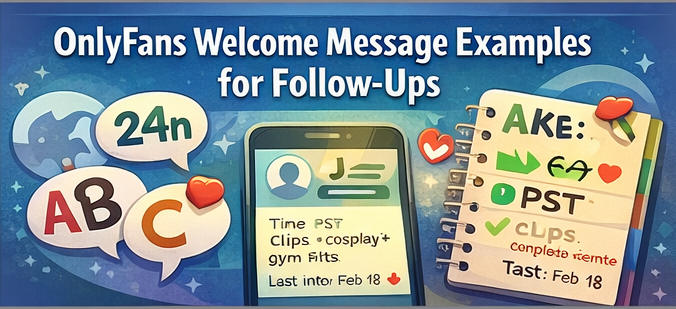
Most fans won’t reply to the first DM—even if they like you. They may skim it, get distracted, or simply need a lower-pressure second touch before responding. This section gives you:
- One-question closes that get answers
- 24-hour and 48-hour follow-ups
- A gentle 7-day sequence you can reuse
Pick a sequence and run it consistently.
The easiest “one-question close” to trigger replies
Use “either/or” questions. They feel effortless.
- “Quick question: pics or short clips?”
- “Which vibe today: cozy or playful?”
- “Should I post more: A) casual BTS or B) glam sets?”
24-hour and 48-hour follow-up scripts when they don’t respond
- “Hey {name} 💛 just checking in—want me to point you to my top 3 posts?”
- “No rush to reply 😊 quick poll: (A) outfits (B) BTS (C) chat”
- “I’m filming today—want a sneak peek vibe: cute, bold, or surprise?”
If they still go quiet after follow-ups, the issue is usually the opener itself — these conversation starters are specifically designed to get silent fans talking again.
48-hour follow-up ideas:
- “Hey {name} 💛 no pressure at all — want me to point you to my top 3 posts?”
- “Quick check-in 😊 would you rather start with (A) outfits, (B) BTS, or (C) chat?”
- “I’m filming today — want a sneak-peek vibe: cute, bold, or surprise?”
Light PPV / tip prompts that don’t feel pushy
Avoid hard selling. Offer value and choice.
- “If you like extras, I can send a ‘starter bundle’—want something sweet or spicy (still classy)?”
- “Totally optional, but if you want something more personalized, tell me your favorite theme.”
- “If you ever feel like showing support, tips help me film more often—but I’m happy you’re here either way.”
If you’re in the U.S., tax treatment can change over time—use reputable tax resources and consider a professional for your situation.
Source: https://turbotax.intuit.com/tax-tips/small-business-taxes/what-online-business-owners-should-know-about-irs-form-1099-k/L2tODOz3r
A 7-day mini-sequence for retention and rebills
Here’s a simple 7-day sending framework you can adapt and run consistently:
- Day 0: Welcome + menu + question
- Day 1: “Top posts” pointer + either/or question
- Day 3: “Vote for next post” + quick poll
- Day 5: “Behind-the-scenes” note + ask preference
- Day 7: Appreciation + “What would make this worth renewing?”
Day 7 is a good time to say thank you while also creating a reason to stay engaged for next week. Asking a simple either/or or three-choice question makes replying feel easy.
Example:
“Day 7: {name} thank you again 💛 what would you love more of next week—BTS, outfits, or chat?”
OnlyFans Welcome Message Personalization Systems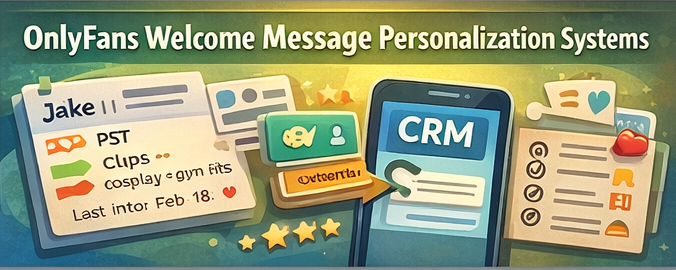
If your inbox is growing, you need a system—not more willpower. This section includes:
- A simple “mini CRM” note template
- · A Brand Voice Bible to stay consistent
- · A swipe file of phrases you can mix safely
- · One example of how to turn one welcome message into multiple variations
A mini CRM note template for remembering fan preferences
Keep it tiny—just enough to personalize later:
- Name / nickname
- Time zone
- Preference (pics/clips/chat)
- Favorite themes (2–3 words)
- Last interaction date
Example:
“Jake | PST | clips | cosplay + gym fits | last: Feb 18”
“Brand Voice Bible” template to keep your tone consistent
Copy this into your notes:
- 3 adjectives: (e.g., warm, playful, calm)
- Words you use: (cozy, sweet, surprise)
- Words you avoid: (e.g.,salesy, demanding, “limited time only”)
- Emoji style: (e.g.,1–2 max, hearts OK, no spam)
- Boundary line: “I reply a few times/day”
- Signature sign-off: “x, {your name}”
Swipe file: copy and paste phrases you can mix safely
- “Quick vibe check:”
- “Pick one:”
- “Want me to point you to the best posts?”
- “No pressure to reply—just curious.”
- “Tell me what you like and I’ll tailor it for you.”
Example: turnone welcome message into 5 variations
Base: “Welcome {name} 💛 What brought you here?”
Variations:
- “Welcome {name} 💛 What vibe are you hoping for?”
- “Hey {name}! Pics, clips, or chat?”
- “So glad you’re here 😊 Want top posts or something new?”
- “Welcome in—sweet, bold, or surprise me?”
- “Hey! Tell me one thing you like and I’ll guide you.”
OnlyFans Welcome Message Mistakes to Avoid
Small mistakes can make you look fake, pushy, or unsafe. This section covers:
- Common trust killers
- “Bot phrases” to remove
- Privacy + security basics
Use this section as a quick audit.
Over-selling too fast and killing the vibe
If your first DM jumps straight to “buy this,” many subscribers pull back because it feels salesy before any value or connection has been built. A better order is:
- welcome
- ask what they like
- point them to something relevant
- make a light offer only after interest is clear
NG example:
“Hey {name} 💛 Buy my starter pack now.”
Better example:
“Welcome {name} 💛 quick question — what do you usually like more: pics or short clips?”
Then, after they reply:
“Love that 😊 I can point you to my top posts first, and if you want more after that, I also have a starter bundle.”
Sounding like a bot: phrases to avoid
Avoid:
- “Dear customer”
- “Limited time only” (unless it’s genuinely true)
- “Respond NOW”
- Long paragraphs with no question
Replace with short, human phrasing:
- “Hey {name} 😊 quick question…”
- “No rush—just curious…”
Privacy and safety basics for creators
Basic protections matter—especially as your account grows:
- 2FA on email + OnlyFans
- Strong passwords + password manager
- Don’t share personal contact info
- Be careful with location hints in photos/videos
Some creator reports also highlight privacy threats like leaks and doxxing risk; treat this seriously and build boundaries early.
Source: https://gitnux.org/onlyfans-content-creator-statistics/
“Never do” policy for DMs
Copy this policy and follow it:
- Never ask for sensitive personal information
- Never guilt-trip someone into spending
- Never promise outcomes (“you’ll definitely love this”)
- Never pretend you’re 1:1 if you've got a team helping (use transparency language)
OnlyFans DM Delegation and Automation Options
If you’re getting subscribers, you’ll eventually hit a ceiling: you can’t instantly reply to everyone forever. This section covers:
- A decision tree for what to do next
- A hiring scorecard if you delegate
- Transparency messaging to protect trust
Then we’ll share a simpler option to reduce reply load.
Decision tree: DIY vs partial delegation vs hiring vs creator tools
Use this quick decision tree:
- If DMs take < 30 min/day → DIY + simple templates
- If DMs take 30–120 min/day → partial automation + segmentation
- If DMs take 2+ hours/day → hire help or switch to a system that reduces chat load
- If you feel burned out → simplify offers + boundaries first
Some creator research notes burnout/mental-health pressure from constant availability; protecting your energy is part of sustainability.
Source: https://gitnux.org/onlyfans-content-creator-statistics/
Hiring scorecard for a chatter or assistant you can trust
If you hire, evaluate with a scorecard (1–5):
- Writing clarity (sounds human)
- Empathy + tone matching
- Security habits (2FA, no shared passwords)
- Policy awareness (OnlyFans Terms of Service)
- Reliability across peak hours
- Discretion + confidentiality
Example rule: If they score under 4/5 on security, don’t proceed.
Transparency messaging: how to set expectations if a team helps
You don’t need a big announcement, but avoid deception.
Use a gentle line like:
- “Sometimes my team helps me keep up with messages—if you want me personally, tell me and I’ll reply when I’m back on.”
This protects trust while keeping your inbox manageable.
Beyond the Grind: How to Scale Your Connection Without Losing Your Soul
Managing DMs on traditional platforms can quickly turn from a passion into "manual labor hell." Many creators feel forced to choose between burning out or hiring "chatters" (third-party agencies) who treat fans like numbers.
FanPort offers a smarter, more authentic way to reclaim your time. It acts as your AI-powered creative assistant, handling the repetitive labor so you don't have to.
- Real Connection for VIPs: While the AI assists with the heavy lifting, your most dedicated fans and VIP messages are personally checked and answered by you. Your fans get the authentic version of you they’re paying for.
- Freedom from the Inbox: Escape the labor-intensive cycle of constant replies. FanPort allows you to drive higher engagement and earn more, even with a smaller, highly-focused follower base.
- Fan-First Philosophy: Move away from the "agency" model. FanPort is designed to protect your brand and deepen your relationship with your fans, not replace it with a bot.
Stop living in your inbox and start growing your community on your own terms.
Want to grow faster with this service? Click here.
FAQ
What is the best first welcome message on OnlyFans?
Use a short message with a name greeting, a clear menu (pics/clips/chat), and one easy question to prompt a reply.
Example: “Hey {name} 💛 thanks for subscribing — what are you here for today: pics, clips, or chat?”
Should I send a welcome message to free-trial subscribers?
Yes, but keep it low-pressure: thank them, point them to “best of” posts, and ask one question so they engage early.
Example: “Hey {name} 💛 thanks for checking out my page — want me to point you to my top 3 posts first?”
How long should an OnlyFans welcome message be?
Aim for 1–3 short lines plus a question. Mobile readers skim, so keep it brief.
Can I automate welcome messages on OnlyFans?
Some creators automate parts of their workflow, but you should keep automation minimal and always stay aligned with OnlyFans Terms of Service. A practical split is: automate the first hello, a simple menu/poll, and a 24-hour follow-up — but keep personal requests, VIP conversations, conflict, and anything sensitive fully human.
Source: https://onlyfans.com/terms
What if people don’t reply?
Use a 24-hour follow-up with a simple poll (“A/B/C”) and a friendly tone. Many fans need a second nudge.
Example: “Hey {name} 😊 no rush — quick pick: (A) outfits, (B) BTS, or (C) chat?”